Hosting & Server Support
The infrastructure behind your site — hosting, servers, caching, and monitoring — set up and maintained so your site stays up and fast, no sysadmin required.

Your site's foundation, treated like infrastructure
Hosting is the ground your site stands on — and most people only notice it when it cracks. The right setup is boring: predictable performance, verified backups, monitored uptime, and a real path when something goes wrong. This service makes the boring part someone else's job. The three failures I see most often First, a hosting plan sized for traffic that never came — wasting money on resources nobody uses. Second, no monitoring, so an outage is reported by a customer instead of caught by an alert. Third, backups that exist in theory and fail when actually needed. Each is preventable with a short amount of discipline up front. What the support plan covers Setup and hardening of your server or managed host, monitoring with alerts, scheduled backups with quarterly restore tests, caching tuned to your stack, and a documented incident path for when things break.
What proper hosting support gets you
Why this service pays off for your business.
- Uptime that you do not have to monitor yourself — alerts fire before customers see errors.
- Performance you can predict, because caching and resources are matched to your actual load.
- Backups you can trust, because restores are tested and the procedure is written down.
- A documented on-call path so outages get fixed, not debated.
- No hosting bills you don't understand — just a clear plan sized to your needs.
How It Works
The process we follow to deliver this service.
Current-state audit
Your existing host, stack, monitoring, and backup practices audited — with gaps and risks listed before any change.
Setup & hardening
Hosting selected, server provisioned, firewall and SSH locked down, and the application stack wired for monitoring.
Monitoring & backups
Uptime, response-time, and error alerts enabled; backups scheduled with a runbook and a first restore drill.
Caching & tuning
Object, opcode, and CDN caching configured for your stack so each layer earns its keep.
Ongoing support
A defined support window, escalation path, and monthly health check — so the site stays in the state it was built for.
What's Included
Everything you need to succeed — delivered as part of this service.
Hosting Selection
Linux/VPS, managed WordPress, or cloud — chosen against cost, performance, and your team's ability to operate it.
Server Setup & Hardening
LAMP/LEMP stacks, firewalls, SSH, and service configs locked down before anything is exposed.
Monitoring & Alerts
Uptime, response time, and error-rate checks that tell you before visitors notice a problem.
Backups & Restore
Automated, off-site backups with verified restore procedures so a mistake is a moment, not a crisis.
Caching Layers
Object, opcode, and CDN caching configured per stack so each layer earns its keep.
Emergency Response
A real, documented on-call path for outages — with a written runbook instead of frantic calls.
Frequently Asked Questions
Key Details
Additional context about this service.
What people searching for "hosting support" or "server management" actually want
The searcher has a server or a site on one — usually because a developer or agency set it up and left. They want the infrastructure looked after without becoming a sysadmin, and they want to stop lying awake during outages.
- A site that stays online without them managing the server
- Someone to fix things when the host or the config misbehaves
- Backups that are real — and proven to restore
- To know the server is hardened, not exposed
Who this service is for
Businesses running their own servers or VPS — by accident or by choice — and agencies with client infrastructure to maintain. Suits anyone whose site depends on infrastructure they do not want to operate.
- Businesses on a VPS or dedicated server with no one maintaining it
- Agencies running client sites on servers they do not want to babysit
- Companies whose site outgrew shared hosting and moved up without a plan
- Teams about to move hosts and wanting the move done properly
The problems this service solves
Server problems are quiet until they are loud. The recurring ones:
- Downtime discovered by customers instead of by monitoring
- Servers configured by default — open ports, weak SSH, no firewall rules that matter
- Backups that were never tested — discovered only when restore actually matters
- Caching layers stacked until they fight each other
- No runbook, so an outage becomes a frantic call to whoever set it up
How we solve them
Selection, setup, monitoring, and an honest runbook: the server is hardened before it is exposed, watched so problems are caught first, and backed up so mistakes are reversible.
- Hosting selection — Linux/VPS, managed WordPress, or cloud — chosen against cost, performance, and your team ability to operate it
- Server setup and hardening — LAMP/LEMP stacks, firewalls, SSH, and service configs locked down
- Monitoring and alerts — uptime, response time, and error rates that tell you before visitors notice
- Backups and restore — automated, off-site, with verified restore procedures
- Caching layers — object, opcode, and CDN caching configured per stack, plus a documented emergency path for outages
When to use this service
Server support matters when infrastructure is part of your business. Typical situations:
- Moving hosts — the migration and the new environment set up properly
- A server that has never been hardened or backed up properly
- After an outage that revealed there was no runbook
- A site growing out of its current hosting and needing a real upgrade path
Technologies and platforms we work with
The mainstream infrastructure stack — chosen to fit the workload:
- Linux servers (Ubuntu and the common LAMP/LEMP distributions)
- Nginx or Apache with PHP-FPM as the site workload demands
- Cloudflare and CDN layers where they genuinely help
- Redis, Varnish, and opcode caching configured per stack
- Monitoring and backup tooling with alert routing and restore drills
What you receive
Infrastructure that does not need babysitting:
- A server set up, hardened, and documented
- Monitoring with alerts routed to the right people
- Automated backups with proven restore procedures
- A written runbook covering the common incident paths
- An emergency response path — a real on-call route for outages
Related Services
Complementary services that pair well with this one.
Website Security
Site-wide hardening and incident response: configuration reviews, monitoring, and cleanup so threats are stopped — and fixed — fast.
Website Maintenance
Ongoing care plans: updates, monitoring, backups, and small tasks handled so your site stays healthy, secure, and current.
OpenCart Store Setup
Stores built on OpenCart — the open-source platform for owners who want full control, configured clean, fast, and secure.
Technical SEO
The crawl-and-index work that decides whether Google can understand your site — structure, schema, speed, and fixes ranked by impact.
Speed Optimization
A faster site keeps visitors and ranks better. We find what is slowing you down and fix it — images, code, hosting, and caching — until Core Web Vitals pass.
Salla Store Setup
Professional store setup on Salla — design, structure, products, and payments configured so the store is ready to sell from day one.
Related Articles
Guides and insights that connect to this service.

Why Is My WordPress Site Slow? The TTFB-First Diagnosis Playbook
Find the real bottleneck before buying anything: baseline measurement, symptom triage, TTFB thresholds, database bloat, the Query Monitor workflow, and fixes in impact order.

WooCommerce Speed Optimization: Fix Cart Fragments, Checkout & More
WooCommerce speed optimization explained: the real causes - cart fragments bypassing cache, uncacheable checkout, plugin stacking, hosting ceilings - and what professional optimization covers.

WordPress Site Keeps Getting Hacked? Where Attacker Access Survives Cleanup
Why cleaned WordPress sites get reinfected: the eight places attacker access survives cleanup, how to audit each one, and how to break the cycle permanently.

Remove the Google "This Site May Be Hacked" Warning: A WordPress Walkthrough
The complete walkthrough for lifting Google hacked-site warnings: confirming the flag, cleaning properly, filing the Search Console review, and recovering from rejection.
How to Fix Core Web Vitals on WordPress: LCP, INP & CLS (2026)
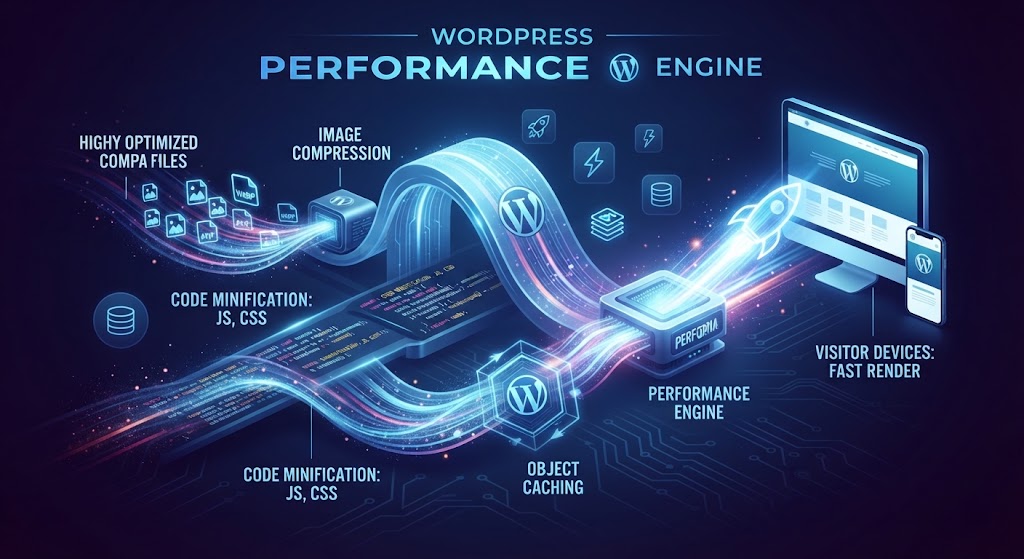
Official 2026 Core Web Vitals thresholds, why INP replaced FID, field data versus lab scores, and practical WordPress fixes for LCP, INP, and CLS in impact order.

How to Fix a Hacked WordPress Site: The Complete Cleanup Guide
The calm, complete sequence for fixing a hacked WordPress site: first-hour triage, choosing your route, full cleanup including backdoor hunting, Google warning recovery, and prevention.
Ready to Get Started with Hosting & Server Support?
Let's discuss your project and craft a custom strategy that delivers results.
Get Started Today